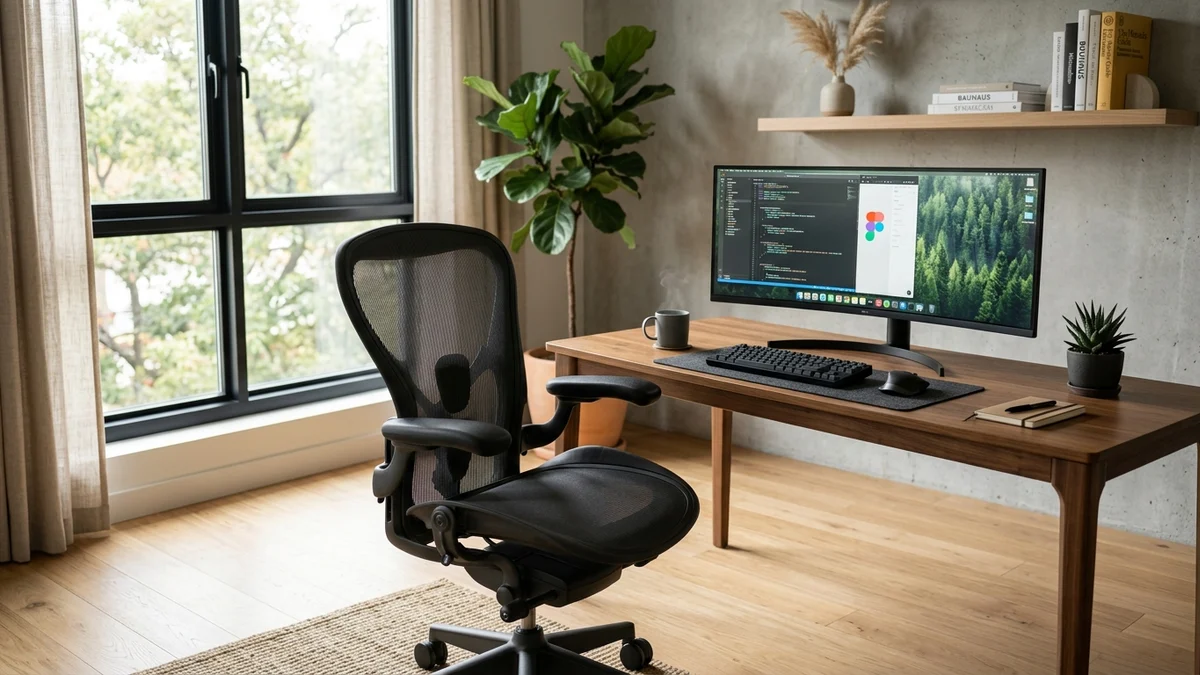
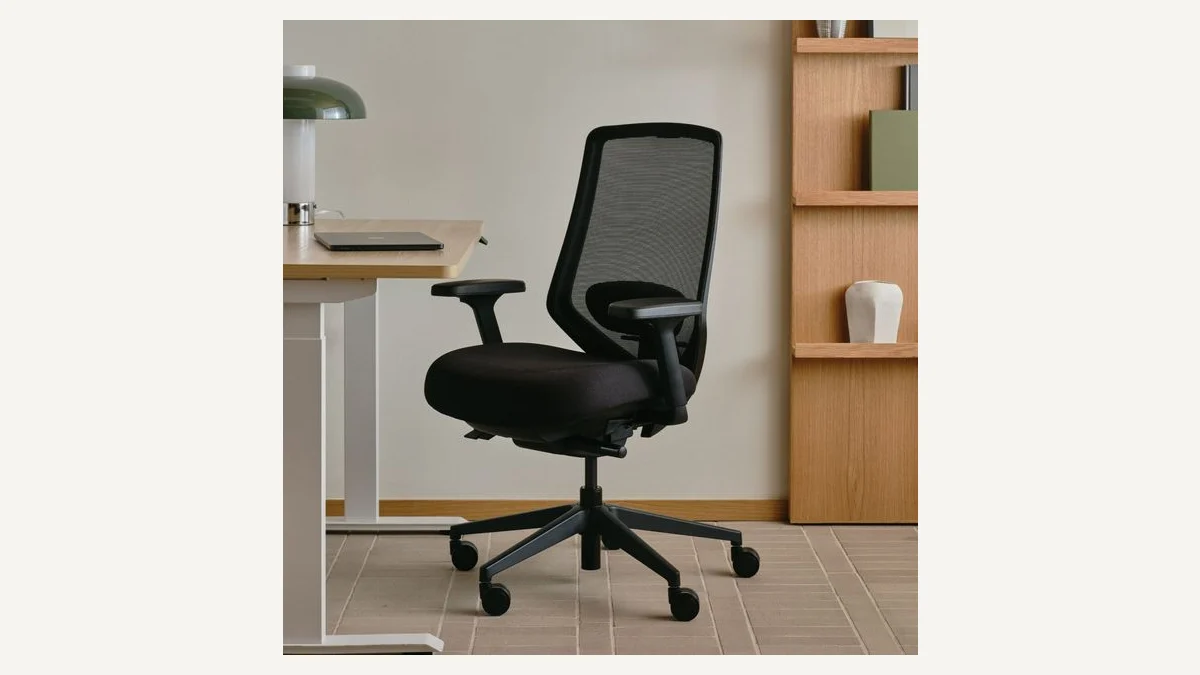
Sitting at a desk for eight or more hours can become uncomfortable very quickly when your chair does not properly support your body. A chair that is too low, too deep, too stiff, or missing useful lumbar support can leave you constantly changing positions just to stay comfortable.
That is why choosing the best office chair for back pain and long hours is less about buying the chair with the thickest cushion and more about finding one that can be adjusted to your body.
For this guide, we compared popular ergonomic office chairs based on lumbar support, seat adjustment, armrest flexibility, recline, materials, weight capacity, warranty, and suitability for extended desk work.
Our overall pick is the Steelcase Leap because of its extensive adjustability, flexible back support, adjustable lumbar system, and seat-depth control. However, there are several good alternatives depending on your budget and preferred sitting style.
Affiliate Disclosure: As an Amazon Associate I earn from qualifying purchases.
Important: An ergonomic chair can improve support and sitting comfort, but it should not be considered a treatment or cure for back pain. Persistent or severe back pain should be discussed with a qualified healthcare professional.
Quick Comparison: Best Office Chairs for Long Hours
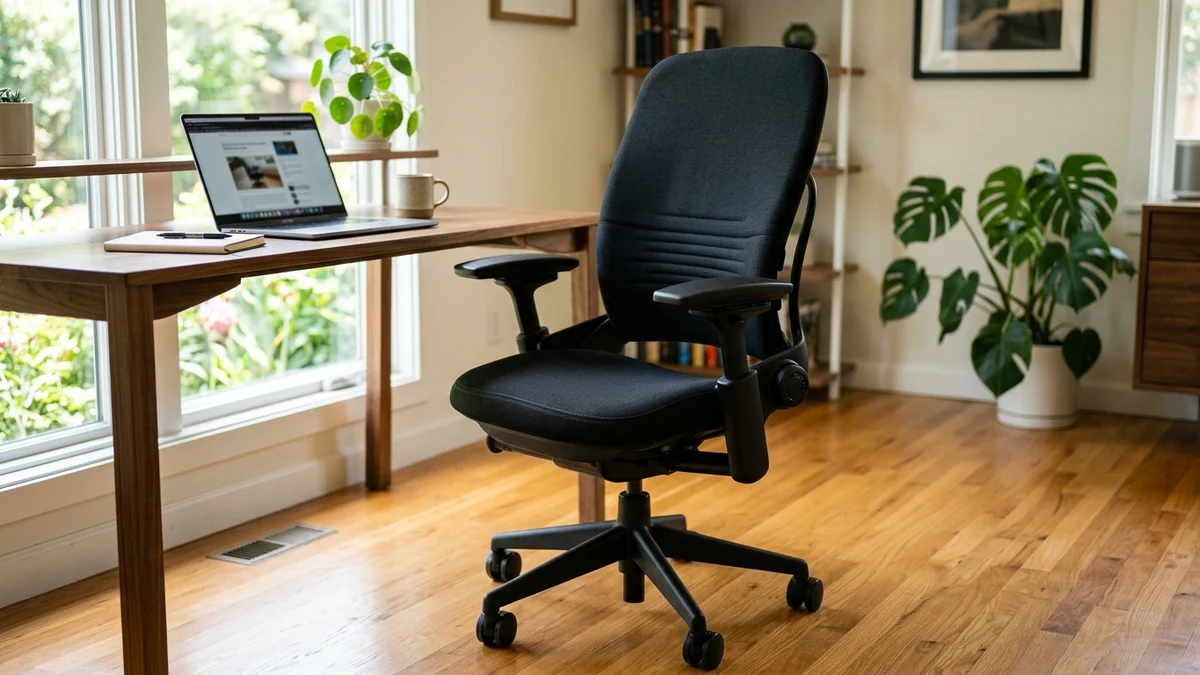
If you spend most of your working day sitting, the Steelcase Leap is one of the strongest options to consider.
Its biggest advantage is adjustability.
Steelcase uses its LiveBack technology in the Leap's backrest. The back is designed to change shape as you change position rather than remaining completely rigid.
There is also height-adjustable lumbar support and a separate lower-back firmness adjustment. This allows you to control both where the lower-back support sits and how strongly you feel it.
Another particularly useful feature is adjustable seat depth.
Someone with shorter legs may need a shallower seat, while a taller person may need additional seat depth. A chair without this adjustment can place unnecessary pressure behind the knees or leave the thighs without enough support.
The standard adjustable arm configuration can also move in height, width, depth, and pivot.
Steelcase lists a weight capacity of up to 400 pounds for the standard Leap and provides a 12-year warranty on many chair components.
Why We Like It
Adjustable lumbar height
Adjustable lower-back firmness
Adjustable seat depth
4D-style adjustable arms
Multiple recline positions
Flexible seat edges
Strong warranty
Suitable for different sitting positions
Possible Downsides
The main issue is cost. This is a premium ergonomic chair and may be more chair than someone needs for occasional desk use.
It also uses a padded seat rather than the full-mesh design some users prefer in warmer rooms.
Best For
The Steelcase Leap makes the most sense for people working from a desk for many hours every day and wanting extensive control over their chair's fit.
Verdict: If your budget allows it, this would be our first chair to compare against the other options in this guide.
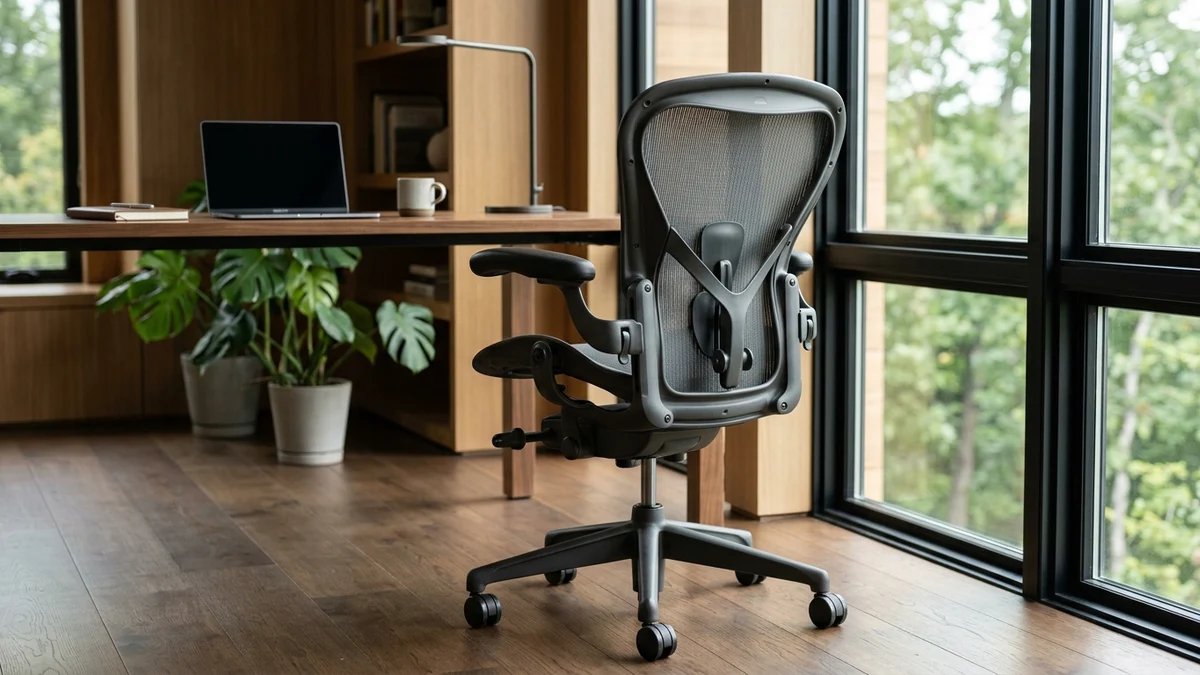
The Herman Miller Aeron is one of the most recognizable ergonomic office chairs, but its reputation is not the only reason it belongs on this list.
Unlike traditional foam office chairs, the Aeron uses Herman Miller's 8Z Pellicle suspension material across the seat and back.
This creates a breathable sitting surface that can be particularly attractive for people who become hot when sitting for long periods.
Another important difference is sizing.
The Aeron is available in three sizes: A, B, and C. Herman Miller designed these sizes to accommodate different body dimensions instead of trying to make one chair fit everyone.
Depending on the configuration you purchase, you can also get PostureFit SL back support, adjustable arms, tilt limiting, and additional seat-angle adjustment.
The PostureFit SL system uses separate support areas around the sacral and lumbar regions.
Herman Miller currently backs the Aeron with a 12-year warranty, while weight limits vary depending on the chair size.
Why We Like It
Highly breathable mesh construction
Three chair sizes
Optional PostureFit SL support
Adjustable arm configurations
Smooth reclining mechanism
12-year warranty
Premium build quality
Possible Downsides
The Aeron can become expensive once additional ergonomic options are selected.
The seat depth also comes primarily from selecting the correct chair size rather than using the type of adjustable sliding seat found on the Steelcase Leap.
That makes choosing the correct Aeron size particularly important.
Best For
It is especially attractive for people who want a premium mesh chair for an office where they spend most of the day sitting.
You do not necessarily need to move directly from a cheap desk chair to a chair costing well over $1,000.
The Branch Ergonomic Chair Pro sits in an interesting middle position.
Branch currently lists 14 points of adjustment, including a two-way lumbar cushion, seat-depth adjustment, forward tilt, tilt tension, reclining control, and 5D armrests.
The chair is designed for users approximately 5'2" to 6'2" in its standard configuration, while Branch also offers a tall-cylinder option.
Its listed maximum supported weight is 275 pounds.
For someone working eight hours at a desk, seat depth is particularly useful. You can move the seat to better match your thigh length instead of simply accepting the factory position.
The 5D armrests also provide more flexibility than basic height-only armrests.
Branch provides a seven-year warranty for the Ergonomic Chair Pro.
Why We Like It
14 adjustment points
Two-way adjustable lumbar support
Adjustable seat depth
5D armrests
Forward tilt
Recline and tilt-tension controls
Optional headrest
Good middle ground between budget and premium chairs
Possible Downsides
Its 275-pound capacity is lower than some alternatives in this article.
People outside Branch's recommended height range should also carefully check the dimensions before purchasing.
Best For
The Branch Ergonomic Chair Pro is a strong choice for a home office where you want premium-style adjustability without immediately moving into the highest price category.
The HON Ignition 2.0 proves that useful ergonomic adjustment is not limited to ultra-premium chairs.
Depending on the exact configuration, the Ignition 2.0 can include adjustable lumbar support, seat glide, adjustable arms, tilt tension, tilt lock, and synchro-tilt.
The seat glide is particularly valuable.
Moving the seat forward or backward allows users with different leg lengths to create a more comfortable distance between the front edge of the seat and the back of the knees.
HON's documentation also shows adjustable lumbar support that can move vertically to better match the user's lower back.
The Ignition 2.0 is rated for users up to 300 pounds in applicable configurations.
Why We Like It
Adjustable seat depth on applicable versions
Adjustable lumbar options
Synchro-tilt
Tilt tension
Adjustable arms
Up to 300-pound user rating
Good balance between features and cost
Possible Downsides
There are multiple Ignition configurations.
That means you should carefully inspect the Amazon listing before ordering. Do not assume every Ignition 2.0 includes the same lumbar system, armrests, or seat controls.
Best For
This chair is worth considering for buyers who want practical ergonomic adjustments while keeping their budget below many premium office chairs.
5. Sihoo Doro C300 — Best Budget Pick With Dynamic Lumbar Support
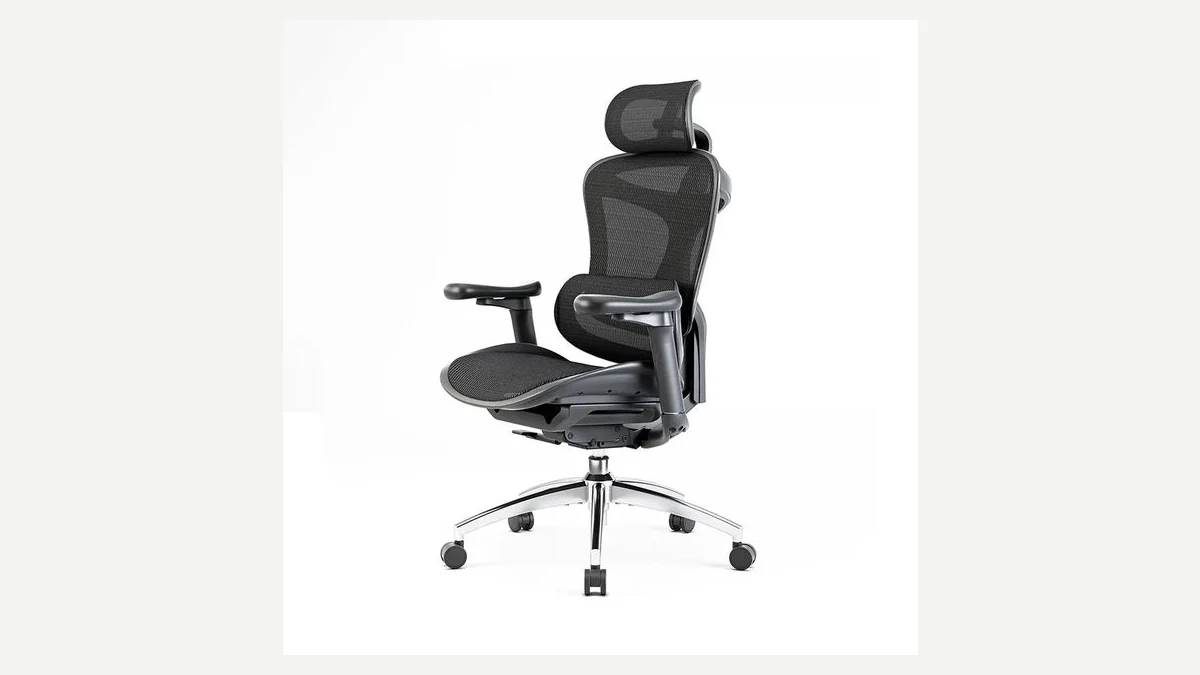
Sihoo Doro C300 ergonomic mesh chair equipped with a self-adaptive dynamic lumbar support wing, multi-adjustable headrest, and 4D coordinated armrests.
Some people dislike constantly changing knobs and levers whenever they change sitting position.
The Sihoo Doro C300 takes a different approach.
Its most interesting feature is self-adaptive dynamic lumbar support. Instead of relying entirely on a fixed lumbar pad, the system is designed to respond as your body moves.
The chair also includes a flexible backrest, multi-adjustable headrest, coordinated 4D armrests, and weight-sensing reclining mechanism on current versions.
This combination makes the C300 interesting for users who move frequently between upright sitting and reclining.
Sihoo currently lists a three-year warranty and a 30-day trial on its official store for the C300 in applicable markets.
Why We Like It
Self-adaptive lumbar system
Flexible mesh back
Multi-adjustable headrest
4D coordinated armrests
Reclining mechanism
Modern ergonomic design
Lower entry cost than many premium competitors
Possible Downsides
People who prefer manually setting an exact lumbar position may prefer a chair such as the Steelcase Leap.
Warranty terms are also shorter than those of some premium competitors.
Best For
The Doro C300 is worth comparing if you want a more affordable ergonomic mesh chair with dynamic lower-back support.
Which Office Chair Is Best for Back Pain and Long Hours?
For most people, our first choice is the Steelcase Leap.
It combines adjustable lumbar positioning with adjustable lower-back firmness, seat-depth adjustment, highly adjustable arms, and extensive reclining control.
If you strongly prefer breathable mesh, the Herman Miller Aeron becomes more attractive.
For a lower budget, compare the Branch Ergonomic Chair Pro, HON Ignition 2.0, and Sihoo Doro C300.
There is no single chair that fits every body perfectly.
A $1,500 chair that does not match your height, leg length, or preferred sitting posture can be less comfortable than a less expensive chair that fits you correctly.
What to Look for When Buying an Office Chair for Long Hours
Adjustable Lumbar Support
Your lower back should feel supported rather than aggressively pushed forward.
Being able to move the lumbar support—or adjust its firmness—is therefore preferable to relying on a completely fixed design.
Adjustable Seat Depth
Seat depth is one of the features beginners often overlook.
When sitting normally, your back should reach the backrest without the front of the seat pressing heavily against the backs of your knees.
Adjustable depth makes achieving that position easier.
Correct Seat Height
Your feet should be able to rest comfortably on the floor or an appropriate footrest while you work.
Armrests should help your arms rest naturally without forcing your shoulders upward.
Height adjustment is the minimum we would look for, while width, depth, and pivot adjustments can make the chair easier to fine-tune.
Recline and Movement
Sitting perfectly still for an entire working day is not the goal.
A good reclining mechanism lets you change positions while remaining supported.
Even with an ergonomic chair, regularly standing, walking, and changing posture is important during a long workday.
Warranty and Return Policy
Ergonomic fit is personal.
Whenever possible, buy from a seller with clear return conditions. Also check warranty coverage, particularly when purchasing an expensive chair.
For Amazon purchases, verify whether the chair is new, renewed, refurbished, or sold by a third-party seller before ordering.
How to Adjust an Office Chair for Better Comfort
Start by setting your seat height so your feet are supported and your knees sit in a comfortable position.
Next, adjust seat depth. Leave a small amount of space between the seat edge and the back of your knees while keeping your back against the backrest.
Move the lumbar support until it comfortably follows the curve of your lower back rather than creating excessive pressure.
Then adjust your armrests so your shoulders remain relaxed while typing.
Finally, experiment with recline tension. You should be able to lean backward naturally without feeling like you are falling backward or fighting against the chair.
Remember that even the best ergonomic chair cannot replace movement. Stand up, change positions, and take regular movement breaks during extended desk sessions.
Frequently Asked Questions
What is the best office chair for back pain and long hours?
Based on adjustability and ergonomic features, the Steelcase Leap is our overall pick. It offers adjustable lumbar height, lower-back firmness control, seat-depth adjustment, highly adjustable arms, and multiple recline settings.
Is a mesh chair better for long working hours?
Not automatically.
Mesh chairs such as the Herman Miller Aeron can provide excellent airflow, while padded chairs such as the Steelcase Leap may appeal more to people who prefer a traditional cushioned seat.
Fit and adjustability are more important than simply choosing mesh or foam.
Is lumbar support important in an office chair?
Lumbar support helps support the natural lower-back area while sitting.
Adjustable lumbar support is especially useful because people have different body shapes and sitting preferences.
How much should I spend on an ergonomic office chair?
There is no universal amount.
Instead of buying solely by price, prioritize adjustable seat height, usable lumbar support, seat depth, armrests, and an appropriate return policy.
Someone who works from a chair eight hours every day may benefit more from investing in adjustability and durability than someone who uses a desk occasionally.
Can an ergonomic chair cure back pain?
No chair should be presented as a cure for back pain.
An ergonomic chair can provide better body support and make your workstation more comfortable. Persistent, severe, or worsening pain deserves professional medical assessment.
Should I buy an office chair with a headrest?
A headrest is optional rather than essential for everyone.
It becomes more useful if you frequently recline. During normal upright computer work, lumbar support, seat fit, desk height, and arm positioning are generally more important factors to evaluate first.
Final Verdict
Finding the best office chair for back pain and long hours comes down to matching the chair to your body, desk, budget, and working habits.
For maximum adjustability, start with the Steelcase Leap.
Choose the Herman Miller Aeron if breathable mesh and premium construction are priorities.
For a more moderate budget, the Branch Ergonomic Chair Pro provides an impressive collection of adjustments.
The HON Ignition 2.0 is a practical value-focused alternative, while the Sihoo Doro C300 is worth considering if dynamic lumbar support appeals to you.
Finally, the Autonomous ErgoChair Pro provides useful seat, lumbar, recline, and headrest adjustment for buyers who want a highly configurable setup.
Whichever chair you choose, check the dimensions carefully before ordering. The best office chair is not simply the most expensive one—it is the one you can adjust to comfortably support your own body and working position.